
There is a point where a simple idea becomes heavier than it needs to be.
You open one browser tab to compare hosting. Another to research website builders. Then come the themes, plugins, email platforms, keyword tools, lead magnets, sales pages, and promises of “passive income” appearing from every direction.
Before long, the original question has disappeared beneath the noise:
What is the simplest money-making website setup for extra income—and what should I actually spend money on?
The answer is more reassuring than most online business advice makes it sound.
You do not need a complicated technology stack, an expensive brand identity, a large product catalog, or paid advertising on day one. You need a focused audience, a real problem to solve, a website that makes the next step obvious, and a simple path from useful content to email subscribers and relevant offers.
A lean website can become a valuable online asset. It just does not become one overnight.
The foundation may be built in a day or a weekend. Search visibility, trust, subscribers, and revenue normally take longer. That is not a flaw in the model. It is the natural price of building something people can find, understand, and believe in.
Quick answer: A simple money-making website for extra income needs an owned domain, reliable hosting, a clear niche, helpful search-focused content, an email list, a relevant free resource, and one carefully chosen monetization path. Start with the smallest system that can work, then expand when real audience behavior gives you a reason.
What a Simple Money-Making Website Actually Needs
A money-making website is not simply a collection of pages with advertisements or product links scattered across them.
It is a connected journey.
Someone arrives with a question. Your content helps them make sense of the problem. A useful free resource gives them a practical next step. If they choose to subscribe, email allows you to continue the conversation. Eventually, you can introduce a product, service, affiliate recommendation, or digital resource that addresses the larger problem.
The basic path looks like this:
Search question → useful guide → free resource → email relationship → relevant offer → potential revenue
That sequence is simple, but it is not simplistic. Each part supports the next.
Start with one audience
“People who want to make money online” is not a useful audience definition. It is too broad to guide your content, messaging, or offers.
A more focused audience might be:
- Beginners building an online side hustle after work
- Stay-at-home parents seeking flexible income
- Creators preparing to sell a first digital product
- Small-business owners who want more organic traffic
- New affiliate marketers who need a clear website setup
When you know who you are speaking to, the website becomes easier to shape. You begin to understand the questions people ask late at night, the tools they are nervous about buying, and the point at which confusion turns into inaction.
Solve one recognizable problem
A website should not exist merely because someone wants to “have a website.”
It should exist because it helps a particular person do something they care about.
That might be:
- Setting up an online income website
- Attracting visitors without relying on paid ads
- Learning affiliate marketing as a beginner
- Creating and selling a digital product
- Building an email list from search traffic
- Turning expertise into a small online business
The more clearly you define the problem, the easier it becomes to choose articles, lead magnets, tools, and offers that belong together.
Publish content that earns attention
Useful content is the discovery engine.
It can take the form of:
- Beginner guides
- Step-by-step tutorials
- Checklists
- Comparisons
- Definitions
- Troubleshooting articles
- Case examples
- Decision guides
- Frequently asked questions
The best content does more than contain a keyword. It answers the question behind the keyword.
Someone searching for “website setup costs” may really be asking, “Can I afford this?” Someone searching for “how to make money from a website” may be asking, “Is this realistic for someone like me?”
Strong content addresses both layers.
Build an owned audience
Search traffic is valuable, but it is still borrowed attention. An email subscriber gives you the opportunity to help someone again after they close the browser.
That matters because people rarely make an important online-business decision after reading one page. They compare. They hesitate. They return later. They need time.
An email list gives your website memory.
Learn more: How to Turn Website Visitors Into Email Subscribers in 7 Days: A Step-by-Step System
Choose one relevant offer
You do not need ten monetization methods. You need one offer that makes sense for the audience and the problem you are solving.
That might be:
- A relevant affiliate product
- A website-building service
- A digital guide
- A template
- A beginner course
- A recurring software solution
- A consulting or implementation package
The offer should feel like the next logical step—not an interruption.
Recommended reading: How to Set Up a Money-Making Website in 24 Hours (Beginner Blueprint That Actually Works)
How Much Does a Simple Money-Making Website Cost?
The exact cost depends on your country, provider, billing cycle, platform, and whether you are looking at an introductory rate or a renewal price.
Use the figures below as planning ranges, not permanent price quotes.
| Component | Illustrative planning range | What it does |
|---|---|---|
| Domain name | Approximately $10–$25 per year | Gives the business an owned web address |
| Basic hosting | Approximately $5–$25 per month | Stores and delivers the website |
| Email platform | Often free or low-cost initially | Captures and follows up with subscribers |
| Theme and design | $0 initially is possible | Makes the site readable and trustworthy |
| Analytics and Search Console | Usually no cost | Shows traffic and search performance |
| Lead magnet | Mostly a time investment | Gives people a reason to subscribe |
| Paid advertising | $0 required at launch | Optional traffic source, not a requirement |
A lean first-year setup can remain modest if you resist the temptation to buy every tool before the business has earned the right to need it.
The expensive part is often not the software. It is the time involved in choosing a viable topic, creating useful content, learning what your visitors need, and improving the path from attention to action.
The essential costs
Your first version normally needs:
- A domain you control
- Reliable hosting or a suitable website platform
- A content management system
- An email capture method
- A useful lead magnet
- Essential legal and trust pages
- Basic analytics
- Search performance tracking
That is enough to create a functioning online-income foundation.
The costs that can wait
You can postpone:
- Premium themes
- Advanced SEO subscriptions
- Expensive branding packages
- Paid advertising
- Professional copywriting
- Complicated automation
- Multiple landing-page tools
- Large software bundles
A useful question is:
Does this purchase help me publish, capture subscribers, measure progress, or deliver value?
If the answer is no, it may be a distraction wearing a business costume.
Watch the renewal price
A tool that looks inexpensive during the first year may cost considerably more later.
Before purchasing, check:
- The regular renewal rate
- Whether the domain is included
- Email sending limits
- Storage limits
- Backup policies
- Security features
- Cancellation terms
- Whether important functions require an upgrade
A low introductory price can be useful. It simply should not be mistaken for the long-term cost of operating the business.
Decide What “Extra Income” Means Before You Build
The phrase “extra income” can hide several different ambitions.
Perhaps you want to cover one monthly bill. Maybe you want to create a flexible side business. Perhaps you are testing an idea before reducing your working hours.
Those are different goals, and each requires a different level of traffic, trust, and monetization.
Choose a first milestone you can control
Revenue is important, but it is not the only sign of progress.
Early milestones might include:
- Choosing a clear audience
- Publishing the first cornerstone guide
- Creating the first lead magnet
- Attracting relevant search impressions
- Receiving the first email subscribers
- Completing the welcome sequence
- Generating a qualified referral
- Receiving the first product sale or service inquiry
These milestones matter because revenue usually arrives after several quieter forms of progress.
A new site may receive impressions before clicks. Clicks may arrive before subscribers. Subscribers may exist for a while before they become buyers.
Separate money from time
A low-cost business is not necessarily a low-effort business.
You may invest very little money while spending substantial time on:
- Research
- Writing
- Editing
- Website setup
- Email creation
- Keyword analysis
- Internal linking
- Conversion improvement
That is not a problem. It simply means you are choosing to invest labor instead of capital.
Recommended reading: Can You Start a Money-Making Website for Under $100? A Simple Low-Cost Setup
Do not confuse a fast setup with fast income
A website can be technically ready in 24 hours. That means the foundation exists.
It does not mean Google has evaluated every page, visitors have discovered the site, subscribers trust the brand, or an offer has generated dependable revenue.
Traffic, SEO, subscribers, trust, and income generally develop over months rather than minutes. The timeline varies by competition, content quality, site history, publishing consistency, audience fit, and offer relevance.
Choose the Monetization Model Before Buying Tools
Many beginners choose tools first and business models second.
That is how a simple website ends up with a complicated collection of software and no clear reason for visitors to care.
Choose the primary way the website may generate income before building the surrounding system.
Affiliate marketing
Affiliate marketing allows you to recommend a relevant product or service and earn a commission when someone completes a qualifying action.
It can work well when:
- The product solves a genuine audience problem
- You understand the product’s limitations
- The recommendation matches the reader’s stage
- The commercial relationship is disclosed
- You would still consider the product useful without the commission
Relevant categories might include:
- Hosting
- Website software
- Email platforms
- Online education
- Templates
- Productivity tools
- Technical support
The fit matters more than the payout.
A high commission attached to an unsuitable product is not a business model. It is a credibility problem waiting to happen.
Recommended reading: Free Affiliate Marketing Website Setup Guide: Build a Profit-Ready Site in One Weekend (Without Paying for Tools, Designers, or Ads)
Digital products
A digital product can be small and practical:
- A checklist
- A workbook
- A planning template
- A niche guide
- A short course
- A collection of examples
- A content calendar
- A resource library
The mistake is creating the product before understanding the audience.
Listen for repeated questions. Notice where people get stuck. Pay attention to the tasks they keep postponing. Those patterns often reveal a product that solves a real problem instead of merely adding another file to the internet.
Recommended guide: How to Start a Digital Product Website Business in 30 Days: The Exact Framework That Turns Expertise Into Automated Income
Services
Services can be easier to validate because you are selling direct assistance rather than waiting for a large audience to purchase an automated product.
Possible services include:
- Website setup
- Content planning
- Email sequence creation
- SEO guidance
- Design support
- Technical troubleshooting
- Niche research
The tradeoff is time. Services may produce earlier revenue, but they are less scalable than a product that can be sold repeatedly.
One-time versus recurring income
One-time offers are often easier to explain. Recurring offers can create continuity, but they usually require ongoing value and stronger retention.
Consider:
- How often the audience needs the solution
- Whether the problem is ongoing
- How much support the offer requires
- Whether customers benefit from continued access
- Whether you can deliver that value consistently
The right model is the one that fits the customer’s situation—not the one that sounds most impressive in a sales pitch.
Learn more: Recurring Commission Affiliate Programs vs One-Time Commissions: Which Builds More Wealth Over Time?
Build the Website Foundation Without Creating a Technical Maze
The first version of the website should be clear enough to navigate and flexible enough to grow.
It does not need to look like a major media company. It needs to make visitors feel that they have arrived somewhere organized, useful, and safe.
Choose an owned domain
Your domain should be:
- Easy to remember
- Easy to spell
- Relevant to the website’s direction
- Broad enough to support future content
- Free from confusing numbers or unnecessary punctuation
A free subdomain may be acceptable for testing. If you intend to build a serious online asset, an owned domain gives you more continuity and control.
Choose a platform you can maintain
Your website platform should allow you to:
- Publish and edit articles
- Organize content into categories
- Add forms and calls to action
- Connect an email platform
- Manage basic SEO settings
- Improve the design over time
- Protect and export your content
For many beginners, WordPress remains a flexible option. The most important choice, however, is selecting a system you can actually maintain. A sophisticated platform that intimidates you is less useful than a simpler one you use every week.
Recommended reading: The WordPress Affiliate Website Launch System (30-Day Action Plan)
Create the essential pages
A lean website should normally include:
- Homepage
- Start Here page
- About page
- Contact page
- Privacy Policy
- Terms and conditions
- Affiliate or income disclosure
- Lead-magnet landing page
- Thank-you page
- Blog or guide archive
These pages are not decorative. They help visitors understand who is behind the site, what it offers, how to get started, and how their information is handled.
Give the homepage one clear job
A visitor should be able to answer three questions quickly:
- Who is this website for?
- What problem does it help solve?
- What should I do next?
The homepage should have one primary action, such as:
- Download the free blueprint
- Start with the beginner guide
- Join the email course
- Explore the recommended setup
A crowded homepage creates friction. Every additional call to action asks the visitor to make another decision.
Organize categories around problems
Good categories reflect the way the audience thinks.
For a beginner online-income website, possible categories include:
- Website Setup
- SEO and Traffic
- Email Marketing
- Affiliate Marketing
- Digital Products
- Online Income Strategy
Do not create categories merely to fill a menu. Each category should eventually become a coherent group of related resources.
Build a Content System That Can Attract the Right Visitors
A website grows stronger when its content belongs together.
Publishing random articles may create activity, but a connected content cluster creates direction. It tells readers—and search engines—which problems you understand and how your resources relate to one another.
Begin with one cornerstone guide
A cornerstone guide should explain the larger subject clearly.
For this topic, it might cover:
- What a simple money-making website is
- What the setup costs
- Which tools are essential
- How content attracts visitors
- Why email matters
- How to select a first offer
- What a realistic timeline looks like
- Which mistakes beginners should avoid
Supporting articles then answer narrower questions.
Build supporting content clusters
A useful cluster could include:
- How to choose a niche for a money-making website
- How to set up a website in 24 hours
- How to choose a domain name
- How to attract organic website traffic
- How to build an email list from a website
- How to create a useful lead magnet
- How much money can you make with an email list?
- How to create a simple digital product
- How to choose relevant affiliate products
- How long does it take to make money online?
- How to improve website conversion rates
Each article should solve one specific problem and link to related resources where the reader naturally needs more help.
Match the page to the searcher’s intent
| Searcher’s need | Example query | Best content type |
|---|---|---|
| Understanding | What is affiliate marketing? | Beginner explanation |
| Implementation | How do I build a money-making website? | Step-by-step tutorial |
| Troubleshooting | Why is my website not getting traffic? | Problem-solving guide |
| Comparison | Which website tools do I need? | Comparison article |
| Decision | What is the best setup for beginners? | Decision guide |
| Action | What should I use to start today? | Relevant solution page |
A person asking “what is this?” needs context. A person asking “which one should I choose?” needs tradeoffs. A person asking “how do I start today?” needs a clear path.
Write the answer before the explanation
The first paragraph beneath each important heading should answer the question directly.
Then:
- Explain the reasoning
- Show the steps
- Add an example
- Mention the common mistakes
- Point toward the next useful resource
This structure helps hurried readers find what they need while giving more engaged readers a reason to continue.
Search engines and AI-powered search features also benefit from clear definitions, connected concepts, concise lists, and well-organized pages. Google’s current guidance emphasizes helpful, original, people-first content rather than special shortcuts designed only for ranking. Google’s guidance on helpful content
Turn Readers Into Subscribers Without Making the Page Feel Like an Advertisement
A reader who leaves without subscribing may never see your next article.
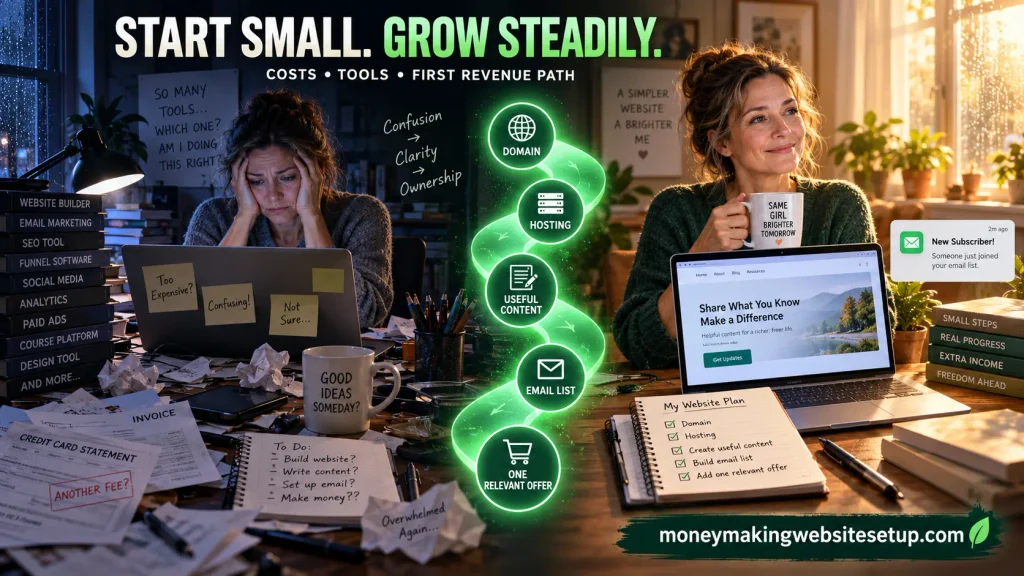
That does not mean every paragraph should push a product. It means the website should offer an appropriate reason for interested visitors to stay connected.
Create a lead magnet that completes the article
The free resource should solve the next immediate problem.
Good examples include:
- The 24-Hour Money-Making Website Blueprint
- A low-budget website setup checklist
- A beginner tool-selection worksheet
- A first-revenue-path planning guide
- A simple content-and-email funnel map
The strongest lead magnets are practical. They help the reader do something—not simply feel inspired for five minutes.
Put the invitation after the moment of clarity
An opt-in often performs best after the article has already delivered useful information.
Natural placements include:
- After the cost breakdown
- After the website setup checklist
- After the first content plan
- Near the conclusion of a major section
- At the end of the article
- On the homepage and Start Here page
The invitation should connect the reader’s new understanding to the next action:
“Now that you know what the lean setup includes, download the free blueprint for a step-by-step launch checklist.”
Create a short welcome sequence
A simple five-email sequence could look like this.
Email 1: Deliver the promised resource
Give the subscriber immediate access to the blueprint. Explain what they can expect from the next few emails.
Email 2: Create one small win
Help them choose an audience, define a problem, or write the first version of their website promise.
Email 3: Expose a common mistake
Explain why beginners often overspend, choose a topic that is too broad, or publish content with no clear purpose.
Email 4: Present the next logical solution
Introduce a relevant tool, educational resource, template, service, or affiliate offer only if it genuinely fits the problem.
Email 5: Connect the pieces
Show how the website, content, email list, and monetization path work together.
The goal is not to rush people toward a purchase. It is to replace uncertainty with useful progress.
Learn more: How to Build an Email List for Affiliate Marketing That Actually Buys: The Conversion-First Funnel
Build a First Revenue Path That Feels Natural
The first revenue path should be simple enough to explain in one breath.
A visitor finds a useful guide, receives a relevant free resource, follows the email sequence, and encounters a solution that fits the problem.
That is enough for a beginning.
Keep the public guide educational
A guide should not feel like a sales page wearing a disguise.
Public content should:
- Answer the reader’s question
- Explain tradeoffs
- Mention limitations
- Provide practical steps
- Help the reader make a better decision
Commercial recommendations can appear in the appropriate email or resource stage, with clear disclosure and a genuine explanation of fit.
Match the offer to the problem
If the article is about starting a website, relevant solutions may include:
- Hosting
- Website software
- Email platforms
- Beginner education
- Templates
- Technical support
If the article is about digital products, relevant solutions may include:
- Design tools
- Product templates
- Course platforms
- Payment systems
- Email automation
- Product research resources
Ask:
- Does this solve the problem discussed?
- Is the reader ready for this solution?
- Can I explain its limitations honestly?
- Would I still recommend it without the commission?
- Have I disclosed the relationship clearly?
If the answer is no, leave the offer out.
Use a simple revenue formula
A useful planning formula is:
Revenue = active subscribers × click rate × conversion rate × earnings per conversion
For example:
- 500 active subscribers receive a relevant recommendation
- 4% click through
- 10% of those visitors purchase
- Earnings per conversion are $30
The calculation would be:
500 × 0.04 × 0.10 × $30 = $60
This is a mathematical illustration, not a prediction.
Actual performance depends on list quality, audience fit, trust, offer relevance, email engagement, pricing, timing, and the strength of the sales process.
The important lesson is simple: a small, relevant audience can be more valuable than a large audience that never opens an email.
Recommended reading: How to Build an Email List and Make Money With Fewer Than 1,000 Subscribers
Use a Google-First Traffic Strategy
Paid advertising can bring visitors quickly, but it can also make a weak system more expensive.
If the headline is unclear, the opt-in is irrelevant, or the offer does not fit the audience, paid traffic will not solve the underlying problem. It will simply expose it faster.
A Google-first strategy gives you time to improve the foundation while building a compounding library of useful content.
Target questions that reveal real needs
Begin with questions such as:
- How do I start a website for extra income?
- What does a simple money-making website cost?
- What is the easiest website business for beginners?
- How can I make money from website traffic?
- How do I build an email list from a website?
- What tools do I need to start an online business?
- What should I sell on a beginner website?
These questions reveal intent more clearly than search volume alone.
Make the title specific
Compare:
- Website Tips
- Online Business Advice
- How to Build a Simple Money-Making Website for Extra Income on a Small Budget
The final title tells the reader:
- What the page is about
- Who it is for
- What outcome it addresses
- Why the page may be worth opening
Write a clear meta description
A useful meta description might say:
Learn the essential costs, beginner-friendly tools, email funnel, and realistic first revenue path for building a simple website on a small budget.
Google may generate a different snippet when it believes another passage better matches the query, so the article itself must communicate its subject clearly from the beginning. Google’s snippet guidance
Build purposeful internal links
Internal links should help the reader continue learning.
Link:
- Website setup articles to domain and WordPress guides
- SEO articles to keyword and search-intent guides
- Lead-magnet articles to email-list guides
- Monetization articles to affiliate and digital-product resources
- Beginner articles to more advanced implementation guides
Use descriptive anchor text. “Read more” tells the visitor almost nothing. “How to create a lead magnet for a new website” tells them exactly what waits on the other side.
Keep the technical foundation reliable
Check that:
- Important guides are indexable
- The sitemap is available
- Category pages are organized
- Mobile layouts work correctly
- Images are compressed
- Titles and headings describe the content
- Legal pages are accessible
- Broken links are repaired
- Unnecessary scripts and distractions are removed
Structured data may help search engines understand supported page types, but it should describe visible, accurate content. It cannot guarantee a featured snippet or rich result. Google’s structured data guidance
A Practical 90-Day Path
Days 1–7: Build the foundation
- Choose one audience
- Define one problem
- Secure the domain
- Set up hosting and the website platform
- Create the homepage
- Add the essential legal and trust pages
- Connect the email platform
- Create the lead magnet
- Publish the first cornerstone guide
Do not spend the week polishing details nobody has seen yet. Build a working system.
Days 8–30: Prove usefulness
- Publish supporting guides
- Add internal links
- Improve the opt-in message
- Write the welcome sequence
- Check mobile usability
- Verify the sitemap
- Monitor indexing and impressions
- Note the questions people still ask
At this stage, you are collecting evidence. You are learning which topics attract attention and which explanations create movement.
Days 31–60: Expand the content cluster
- Add beginner definitions
- Publish problem-solving articles
- Address comparison queries
- Improve weak titles
- Add examples and checklists
- Strengthen important internal links
- Refine the lead magnet using subscriber feedback
The website should gradually feel less like a pile of articles and more like a resource center.
Days 61–90: Improve the revenue path
- Identify the content attracting the most relevant visitors
- Add contextual opt-ins
- Improve email subject lines
- Introduce one carefully matched offer
- Review subscriber engagement
- Update weaker guides
- Decide whether a product or service deserves development
Expansion should follow evidence. A growing website does not automatically need more tools, more offers, or more complexity.
Measure the Business in Layers
Traffic matters, but traffic alone cannot tell you whether the website is becoming a business.
Track four layers.
Visibility
- Indexed pages
- Search impressions
- Search queries
- Average positions
- Click-through rate
Engagement
- Time spent reading
- Scroll depth
- Returning visitors
- Clicks to related guides
- Lead-magnet downloads
Ownership
- New email subscribers
- Opt-in conversion rate
- Email opens and clicks
- Unsubscribes
- Subscriber replies and questions
Revenue
- Qualified referrals
- Product sales
- Service inquiries
- Earnings per subscriber
- Repeat purchases
- Recurring commissions
These layers tend to appear in sequence.
A site may first gain impressions, then clicks, then subscribers, then revenue. A quiet revenue dashboard does not necessarily mean the work is failing if the earlier layers are strengthening.
Recommended reading: How Long Does It Take to Make Money From a Website? The Fastest Realistic Path to Your First $100
The Mistakes That Make a Small Website Expensive
Buying tools before choosing the problem
No software can rescue unclear positioning.
Choosing a topic that is too broad
A broad topic makes it difficult to create distinctive content or become memorable to a specific audience.
Spending too much on design
A clean, readable website is enough at the beginning. Visual polish should support clarity, not replace it.
Publishing random articles
A long list of disconnected posts may look productive while leaving visitors—and search engines—unsure what the site truly understands.
Ignoring the email list
If visitors leave permanently, the site must continually find new visitors to create growth.
Promoting unrelated products
A poor-fit recommendation weakens trust even if it generates a commission.
Making income promises
Overstated claims may attract a click, but they also create skepticism and disappointment. A realistic website earns credibility by explaining what can happen, what may take time, and what depends on execution.
Expecting instant search traffic
Organic visibility requires useful content, a clear structure, technical accessibility, internal connections, and time.
Confusing activity with progress
Installing another plugin is activity.
Publishing a guide that solves a valuable problem is progress.
Frequently Asked Questions From Someone Who Is Still Unsure
“What if I do not know how to code?”
You do not need professional development skills to build the foundation. Modern website platforms handle much of the technical work. You still need to learn basic publishing, navigation, email capture, and content organization, but those skills can be developed gradually.
“Do I really need to pay for a domain?”
You can test an idea on a free subdomain, but an owned domain gives you more control and creates a stronger foundation for a long-term online asset.
“Can I start with free tools?”
Yes, especially for analytics, search monitoring, basic design, and early email capture. Be careful with free services that limit your branding, automation, storage, or ability to move your content later.
“What is the cheapest realistic setup?”
A lean setup usually includes an owned domain, basic hosting, a manageable website platform, an email capture system, useful content, and one relevant offer. Premium design, paid traffic, and advanced software can wait.
“Do I need to run paid advertisements?”
No. A Google-first content strategy can attract organic visitors without paid advertising. Paid traffic may become useful later, but it should not be used to cover up a weak message or untested funnel.
“How long before I make money?”
There is no universal timetable. A first sale may happen quickly when the audience, offer, and traffic are well aligned, while dependable revenue often takes longer. Search visibility, competition, content quality, trust, and email engagement all influence the result.
“Can a small email list really produce income?”
It can, provided the subscribers are relevant and engaged. A small list of people with a clear problem may be more valuable than a large list of people who never open, click, or respond.
“Should I begin with affiliate marketing or my own product?”
Choose the model that fits your audience and current abilities. Affiliate marketing lets you recommend an existing solution. A digital product gives you more control but requires creation, delivery, and support.
“How many articles do I need?”
There is no magic number. Begin with one comprehensive guide and a connected collection of supporting articles. Relevance, usefulness, organization, and internal linking matter more than reaching an arbitrary page count.
“Is website income passive?”
A website can continue attracting visitors after content is published, but it is not automatically passive. Successful sites require updates, new content, email communication, technical maintenance, and ongoing improvement.
“What should I do first?”
Choose one audience and one problem. Then write a simple promise:
“I help [specific audience] achieve [specific outcome] without [major frustration].”
That sentence can guide your domain, homepage, content strategy, lead magnet, email sequence, and first offer.
Publisher SEO note: If you add structured data, mark up only information that is visible and accurate on the page. FAQ content should be written for real readers first; markup should support the content rather than replace it.
Products / Tools / Resources
Domain registrar
Choose a reputable registrar with transparent renewal pricing, domain privacy options, and straightforward DNS management. A memorable domain is usually more valuable than an expensive premium name.
Hosting
Look for reliable hosting with:
- Good uptime
- SSL support
- Backups
- Security features
- Responsive support
- Clear renewal pricing
- The ability to handle a growing content library
Start with a plan that fits your current needs. You can upgrade when traffic and site requirements justify it.
WordPress
WordPress remains a flexible option for publishing guides, organizing topic clusters, adding opt-in forms, and expanding the website later. Its greatest advantage is control; its main responsibility is maintenance.
Lightweight themes
A clean theme is enough to begin. Options such as GeneratePress, Kadence, or Astra can provide a fast, readable foundation without requiring an elaborate design process.
Choose a theme that supports:
- Mobile responsiveness
- Clear typography
- Simple navigation
- Full-width content
- Fast loading
- Accessible customization
SEO plugins
An SEO plugin can help manage titles, descriptions, sitemaps, canonical settings, and basic on-page checks. Common options include Rank Math, Yoast SEO, and All in One SEO.
Use one SEO plugin, configure it carefully, and avoid installing several tools that perform the same job.
Google Search Console
Search Console helps you monitor:
- Indexing
- Search impressions
- Queries
- Clicks
- Average positions
- Page experience signals
- Technical issues
It is one of the most useful no-cost resources for understanding how Google sees the website.
Google Analytics or another analytics platform
Analytics can help you understand:
- Which pages attract visitors
- How visitors move through the site
- Which guides lead to opt-ins
- Whether people return
- Where visitors leave
Keep measurement focused. Data is useful when it changes a decision.
Email marketing platform
Choose an email platform that supports:
- Sign-up forms
- Automated welcome emails
- Basic segmentation
- Subscriber management
- Deliverability controls
- Clear export options
- Transparent pricing as the list grows
The platform is less important than using it consistently and sending relevant, helpful messages.
Lead-magnet tools
A lead magnet can be created with ordinary tools:
- A word processor
- A presentation editor
- A spreadsheet
- A design platform
- A PDF export tool
The value comes from the usefulness of the resource, not the sophistication of the cover.
Research and planning tools
Useful research resources include:
- Google Search suggestions
- People Also Ask questions
- Search Console query data
- Customer comments
- Community discussions
- Competitor content gaps
- Simple spreadsheets
- A written content calendar
The purpose of research is not to collect endless keywords. It is to understand what people are trying to accomplish.
Backup and security tools
Use dependable backups, strong passwords, software updates, and basic security protection. A website is an asset only if its content can be recovered when something goes wrong.