
Most people ask this question while staring at a domain checkout page, wondering whether they are about to make a sensible investment or quietly open another drain on their bank account.
The reassuring answer is that the website itself does not have to be expensive. The more honest answer is that a website which makes money has costs beyond the domain, hosting, and theme. It needs useful content. It needs a way to capture attention and keep in touch with people. It needs an offer that makes sense. And it needs enough time to earn trust before the first reliable sales begin to appear.
That is why two people can launch websites for nearly the same amount of money and end up with completely different results. One has built a tidy online brochure. The other has built a path from a visitor’s question to a useful answer, a relationship, and eventually a transaction.
Quick answer: how much does it cost to start a money-making website?
If you handle the setup yourself, a lean website can often be launched for roughly $50 to $300 during the first 90 days. A more realistic first-year budget, including selected paid tools, content, design, or occasional help, is often $600 to $2,500. A growth-focused website that uses outsourced production, professional development, advertising, or advanced systems can require $2,500 to $10,000 or more during the first year.
Those are planning ranges, not promises and not fixed quotes. Your country, currency, platform, business model, content requirements, and available time will change the number. A store with inventory can cost far more. A simple affiliate or service website may cost much less in cash, while demanding considerably more time.
The distinction worth remembering is simple:
The technical website may be inexpensive. The business built around it still has to earn attention, trust, leads, and sales.
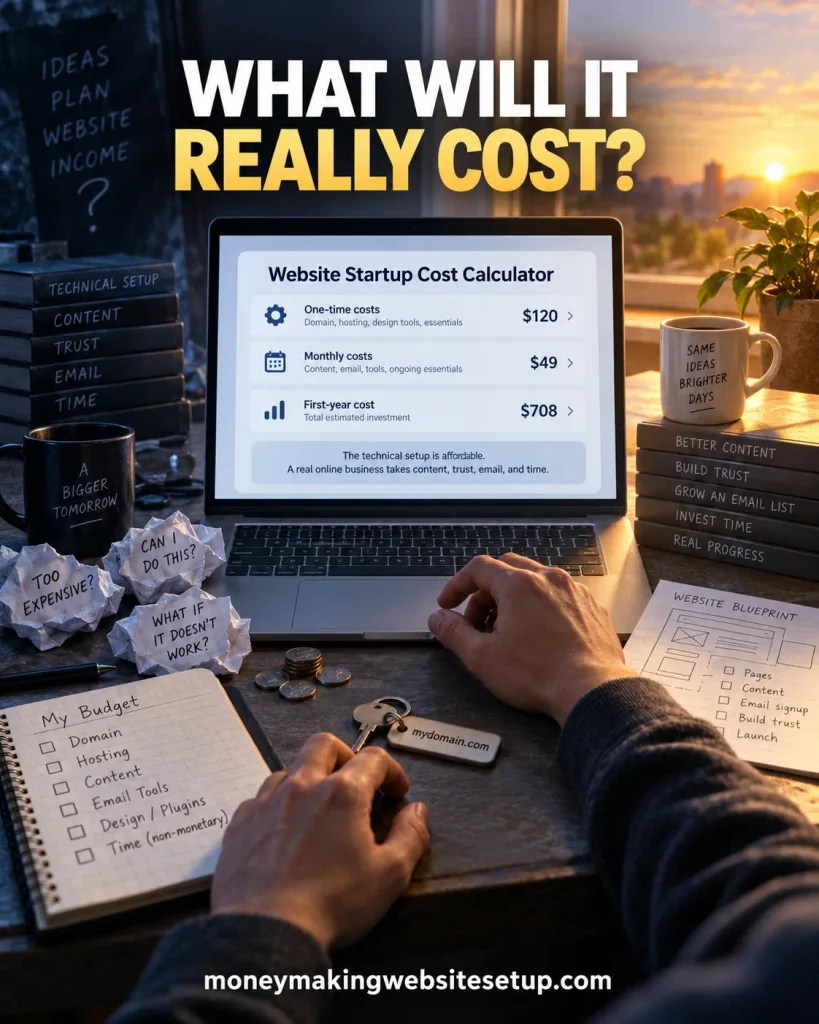
Free website startup cost calculator
Before you buy anything, write down the costs you can see and the ones you are tempted to forget. This worksheet turns a vague feeling into a number you can actually work with.
Use your own currency. The dollar figures below are examples only, included to make the math easy to follow.
Step 1: list the one-time startup costs
| One-time expense | Your estimate |
|---|---|
| Domain registration | $_____ |
| Website setup or technical help | $_____ |
| Logo, branding, or design | $_____ |
| Premium theme or initial plugins | $_____ |
| Initial articles, product pages, or sales copy | $_____ |
| Photography, illustrations, or other media | $_____ |
| Business registration or professional advice, if applicable | $_____ |
| Other one-time expenses | $_____ |
| Total one-time cost | $_____ |
Step 2: list the monthly operating costs
| Monthly expense | Monthly estimate | Annual estimate |
|---|---|---|
| Website hosting | $_____ | $_____ × 12 |
| Email marketing | $_____ | $_____ × 12 |
| Premium plugins and software | $_____ | $_____ × 12 |
| Content production | $_____ | $_____ × 12 |
| SEO or analytics tools | $_____ | $_____ × 12 |
| Paid promotion | $_____ | $_____ × 12 |
| Maintenance or technical support | $_____ | $_____ × 12 |
| Other recurring costs | $_____ | $_____ × 12 |
| Total monthly cost | $_____ | $_____ |
Step 3: calculate the first-year website cost
The basic equation is:
First-year website cost = total one-time costs + (total monthly costs × 12)For example, imagine that your one-time costs add up to $150 and your monthly operating costs come to $35:
$150 + ($35 × 12) = $570 first-year costThat $570 tells you what it costs to operate the website under those assumptions. It does not tell you what the website will earn. Revenue will depend on your business model, the quality of your offer, the relevance of your visitors, your conversion rate, and how long it takes to build demand.
Step 4: put a value on your time
Cash is easy to enter in a spreadsheet. Time is slipperier. It disappears into setup screens, unfinished drafts, image searches, plugin updates, and the ten-minute technical problem that somehow consumes an afternoon.
Track the hours you spend on:
- Website setup
- Keyword research
- Writing and editing
- Design and image creation
- Email marketing
- Customer support
- Outreach or promotion
- Technical troubleshooting
You do not have to pay yourself immediately. Still, recording the hours tells you whether the model is becoming more efficient. It also shows when outsourcing one repetitive task might be wiser than adding another software subscription.
The three practical website budgets
There is no perfect budget for every new website. The right number depends on whether you have more money or more time, what kind of business you are building, and how quickly you need to learn what works.
Lean budget: build the foundation yourself
When money is tight, time becomes the currency.
A lean website keeps optional spending close to zero and pays only for the pieces needed to get online and start learning. A practical initial range is approximately $50 to $300, followed by a relatively small monthly operating cost.
That may cover:
- A domain name
- Basic website hosting
- A free content management system or website builder plan
- A free or inexpensive theme
- Free analytics and search tools
- A basic email list setup
- Content written and produced by the owner
- Organic promotion instead of paid advertising
This approach suits an affiliate content site, a niche information site, a personal service website, or a simple lead-generation project. It is especially useful when you can tolerate a slower learning curve and are willing to handle the writing, formatting, research, and troubleshooting yourself.
The catch is easy to miss. You may save cash while spending many evenings on the project. A lean website can take longer to publish and improve because one person is acting as strategist, writer, designer, technician, and marketer.
Realistic budget: invest in consistency and quality
The realistic budget sits in the middle. You still do much of the work, but you stop pretending that every task must be done with free tools and spare minutes.
A sensible first-year planning range is approximately $600 to $2,500, depending on the amount of content and support the site requires.
This budget may include:
- Reliable hosting and a custom domain
- A professional-looking theme and essential plugins
- Email marketing software
- Original content or selective writing assistance
- Better images, templates, or brand assets
- Basic SEO and analytics tools
- Occasional technical or design help
- A small testing budget for promotion
For many serious beginners, this is the most balanced option. It leaves room for quality without encouraging you to spend as if the business has already proved itself.
Whenever you are tempted by a new tool, ask a more useful question than, “Can I afford it?” Ask, “Will this help me publish better content, attract more relevant visitors, capture more leads, or convert existing attention more effectively?”
Growth budget: buy capacity, speed, and expertise
A growth budget is not a shortcut to demand. It is a way to buy capacity once you know what deserves to be scaled.
The first-year range may be $2,500 to $10,000 or more, particularly when the plan includes outsourced writing, professional development, paid campaigns, video, advanced software, or physical products.
It may include:
- Professional design or development
- A larger content publishing operation
- Freelance writers, editors, or specialists
- Paid search, social advertising, or sponsored promotion
- Conversion-rate testing
- Marketing automation
- Advanced analytics and customer relationship management
- Product development, fulfillment, or customer service
Spending more can make a project move faster. It cannot make an unclear audience suddenly care. A polished website without a valuable offer can lose money with impressive efficiency.
Growth spending should follow evidence. Validate the audience, the problem, and the offer first. Then put money behind the constraint that is actually slowing progress.
What are you really paying for?
Website costs make more sense when you stop treating them as one pile of software bills. There are four different layers underneath the number: infrastructure, visibility, trust, and capacity.
Infrastructure: the website itself
Infrastructure is the machinery that lets your site exist and function:
- Domain name
- Web hosting
- Content management system
- Website theme or design system
- Plugins and integrations
- Security and backups
- Website performance tools
- Forms, booking systems, or payment tools
Open-source WordPress software itself is free to download and use, but a self-hosted site still needs a domain, hosting, maintenance, and possibly paid extensions. WordPress.org explains that the software can be downloaded and installed with your own hosting and domain.
An SSL certificate belongs in this layer too. Many hosting companies manage one automatically. If yours does not, Let’s Encrypt is a free, automated certificate authority, although you still need a hosting environment and a way to install and renew the certificate. Let’s Encrypt explains the certificate and hosting-provider process here.
Visibility: helping the right people find you
Visibility is the work that brings qualified attention to the website:
- Search-focused content
- Keyword and audience research
- Internal linking
- Technical SEO
- Email list growth
- Social media distribution
- Partnerships and outreach
- Paid advertising
- Video or visual content
The website can be technically finished on its first day. Its visibility probably will not be. For many beginner websites, this layer consumes more time than the initial setup because content, distribution, and trust grow gradually.
Trust: giving visitors a reason to believe you
Trust influences whether someone stays, subscribes, contacts you, or buys. It is built through details that may look ordinary on their own:
- Clear explanations
- Author information
- Contact details
- Privacy and disclosure pages
- Transparent pricing
- Original examples
- Product demonstrations
- Helpful comparisons
- Secure payment and signup experiences
- Consistent publishing
Trust is rarely created by one design element. It is the cumulative effect of clear promises, useful information, honest limitations, and a website that behaves the way visitors expect.
Capacity: creating and improving the business
Capacity is the money and time available for publishing, testing, customer support, and improvement. It is the line most often missing from a beginner’s spreadsheet.
If you do everything yourself, your cash budget may be small while your workload becomes enormous. If you outsource everything, your calendar may feel lighter while the cash requirement becomes uncomfortable. The right balance depends on your skills, available hours, and income target.
One-time website startup costs explained
Domain registration
A domain gives the website a memorable identity and a permanent address. Choose one that is easy to spell, easy to say aloud, and connected to the subject or brand.
Look beyond the first-year promotional price. Renewal pricing may be different. Privacy options, premium domains, and extra extensions can change the total as well.
Hosting and website setup
Hosting stores the website files and delivers them to visitors. Basic shared hosting can be inexpensive. Managed hosting, dedicated resources, and specialized platforms cost more because they handle more of the technical burden.
The cheapest introductory offer is not the whole decision. Check reliability, support, backups, security, performance, renewal pricing, and how difficult it would be to move the site later.
Recommended guide: Best Hosting Setup for Affiliate Websites in the AI Search Era: What Google, ChatGPT, and AI Overviews Reward Now
Content management system and theme
A content management system lets you organize pages, articles, images, and other resources. The system may be free; themes, templates, support, and advanced features may not be.
Do not spend the entire startup budget on appearance. Clear navigation, readable typography, strong mobile usability, fast loading, and useful content usually do more for the visitor than an elaborate visual effect.
Plugins and integrations
Plugins can add contact forms, backups, SEO controls, signup forms, ecommerce features, analytics, security, and performance improvements.
They can also create a slow leak in your budget. A $10 or $20 monthly subscription feels harmless in isolation. Several of them quietly become one of the largest annual expenses. Put every recurring charge into the calculator before you install it.
Branding and media
Branding can include a logo, colors, typography, templates, icons, photographs, illustrations, or video. At the beginning, a simple visual system that is applied consistently is usually enough.
Original visuals can help people understand and share the content, but they should support the idea rather than compete with it. If you use stock assets, understand the license and keep a record of where each asset came from.
Initial content
Initial content may be written by you, commissioned from a writer, or produced through a mixture of research and editorial assistance. The price depends on the subject, depth, expertise required, and number of pages.
Word count alone is a poor measure of value. A short page that answers a specific question cleanly can be far more useful than a long article that circles around familiar advice.
Recurring costs after the website launches
The launch invoice is easy to notice. The quiet monthly charges are where many websites become expensive.
Hosting and maintenance
Recurring technical costs may include hosting, backups, security, updates, premium support, and occasional troubleshooting. Even if you handle maintenance yourself, record the time. Neglected maintenance has a habit of returning later as an emergency.
Email marketing
An email list gives you a way to stay in touch after a visitor leaves. It can also reduce your dependence on any one traffic source. The price usually depends on subscriber count, sending volume, automation, and the features you need.
Start with a clear permission-based signup process, a useful lead magnet, and a short sequence of relevant messages. Paying for a large plan before you have a meaningful list rarely solves the real problem.
Recommended reading: How to Make Money With an Email List Without Spamming Your Subscribers: 9 Ethical Monetization Strategies
Content production
Content is rarely a one-time expense in a competitive subject. Articles need updates. Examples age. Products disappear. Search intent shifts.
Budget content as money, time, or both. A modest monthly publishing target that survives busy weeks is usually more valuable than a heroic plan that collapses after a month.
SEO, analytics, and research tools
Many essential search and analytics functions are available without expensive software. Paid tools can help with keyword discovery, competitor research, rank tracking, audits, and reporting, but they do not replace judgment.
Before subscribing, name the decision the tool will improve. If you cannot say what you will do differently after seeing the data, leave the subscription for later.
Promotion and advertising
Organic search, email, partnerships, communities, social media, and paid advertising all charge you in different ways. Some require money immediately. Others require patience and steady effort.
Paid advertising can bring traffic quickly, but it also creates immediate financial risk. Use a small test budget only after the landing page, offer, tracking, and follow-up process work. Advertising should not be used to conceal a weak offer or an unclear audience.
Payment processing and business administration
If you sell services, products, courses, memberships, or downloads, remember payment processing, refunds, taxes, invoices, customer support, and relevant legal or accounting requirements. The exact rules depend on your location and business structure, so use this article for planning rather than legal or tax advice.
Website costs by online business model
The best budget depends heavily on how the website will make money.
| Business model | Main cost pressure | Traffic requirement | Typical early advantage |
|---|---|---|---|
| Affiliate marketing | Content, trust, and audience development | Often higher | Low product fulfillment burden |
| Services or consulting | Positioning, proof, forms, booking, and sales | Often lower | One client can be valuable |
| Lead generation | Local or niche content, forms, tracking, and follow-up | Moderate | Revenue can come from qualified leads |
| Digital products | Product creation, email, delivery, and conversion | Moderate | No physical inventory |
| E-commerce | Products, inventory, shipping, payment, and support | Varies | Clear product-driven demand |
| Advertising-supported content | Publishing volume and audience scale | Usually higher | Simple monetization mechanics |
Affiliate marketing website costs
An affiliate website can be inexpensive to launch because you are not manufacturing, storing, or shipping the product. The harder investment is the content that attracts a relevant visitor and helps that person make a decision.
The important expenses are usually the domain, hosting, email marketing, research, content production, and time. Affiliate income does not come from scattering links across a site. It comes from matching the right visitor with a genuinely relevant solution and explaining the commercial relationship clearly.
Recommended guide: Free Affiliate Marketing Website Setup Guide: Build a Profit-Ready Site in One Weekend (Without Paying for Tools, Designers, or Ads)
Service and lead-generation website costs
A service website may need fewer visitors because one qualified inquiry can be worth more than many low-intent page views. The budget may shift toward positioning, case studies, booking tools, forms, local visibility, sales conversations, and follow-up.
The useful question is not only, “How much traffic can I get?” It is, “How many qualified inquiries do I need, and what percentage can become paying clients?”
Digital product website costs
Digital products require investment in the product itself, delivery, email marketing, sales copy, customer support, and conversion testing. The website can be simple. The offer cannot be vague.
People need to understand what problem the product solves, who it is for, what changes after using it, and why it is worth the price.
Recommended reading: How to Start a Digital Product Website Business in 30 Days: The Exact Framework That Turns Expertise Into Automated Income
E-commerce website costs
E-commerce often carries the broadest cost model: product sourcing, inventory, photography, packaging, shipping, payment processing, returns, customer service, and advertising. A low website subscription does not turn a physical-product business into a low-cost business.
Before launching, calculate the full contribution margin:
Selling price − product cost − payment fee − fulfillment − shipping − advertising = contribution marginIf the margin is too small, more sales can produce more work without producing much profit.
DIY versus outsourcing: which is cheaper?
Doing the work yourself is often cheaper in cash. It is not free. The invoice is simply written in hours instead of dollars.
DIY is usually sensible when:
- You are still validating the topic or business model.
- You have time to learn and publish.
- Your website does not require unusual technical functionality.
- You can follow a simple process consistently.
- Your main constraint is money rather than time.
Outsourcing is more sensible when:
- A task repeatedly delays publishing or sales.
- A technical problem creates a security or performance risk.
- A specialist can produce a result you cannot reasonably learn in time.
- Your business already generates enough revenue to fund the help.
- Your time is more valuable when spent on strategy, selling, or customer service.
For many beginners, selective outsourcing is the sweet spot. Keep the decisions that require your voice and judgment. Hand off repetitive production, specialized technical work, or a proven bottleneck once the numbers justify it.
The hidden costs beginners often miss
The cost of changing platforms later
Choosing a platform because it is free can create a migration bill later. Before committing, check whether you can export your content, keep your domain, access your data, connect an email list, and preserve your URLs.
The cost of unfinished projects
Buying a domain, theme, course, plugin, and several tools can feel like progress. But if none of them produces a published page, a conversation, a subscriber, or a sale, you have purchased preparation rather than a digital asset.
The cost of inconsistent publishing
An irregular publishing process creates stop-start results and makes it difficult to learn what is working. A smaller plan that survives real life is usually more valuable than a large plan that disappears after a few weeks.
The cost of poor conversion paths
A visitor can enjoy an article and still leave because the next step is invisible. Budget time for clear calls to action, signup forms, contact options, product explanations, and follow-up messages.
The cost of unrealistic expectations
The most expensive assumption is that a low setup cost guarantees quick income. Search visibility, trust, and customer behavior take time to develop. A responsible budget includes a period of learning before reliable profit is expected.
Recommended guide: Hidden Costs of Starting an Affiliate Website: 15 Expenses Nobody Warns You About
What should you spend money on first?
Prioritize expenses according to their connection to revenue and learning.
| Spend first | Consider later | Be careful with |
|---|---|---|
| Domain and reliable hosting | Premium redesigns | Large tool collections |
| Clear positioning | Advanced automation | “Guaranteed ranking” services |
| Useful core content | Extensive custom development | Paid traffic before tracking works |
| Email signup and follow-up | Outsourced volume | Courses purchased instead of action |
| Security, backups, and updates | Complex branding packages | Subscriptions you rarely use |
Your first dollars should create a functioning, trustworthy path from visitor to next step. The next dollars should improve a bottleneck you can actually see.
A practical 90-day website budget plan
Days 1–30: establish the foundation
Pay for the domain, hosting, essential setup, and the minimum tools required to publish. Decide who the site is for, what problem it addresses, what kind of content belongs there, and how the site might eventually make money.
Create the pages visitors expect to find: an introduction, contact information, privacy information, relevant disclosures, and a clear explanation of what the website helps people do.
The goal of the first month is not to create the illusion of a finished company. It is to create a trustworthy place where useful work can begin.
Days 31–60: publish and observe
Turn your attention toward useful content and the visitor journey. Watch impressions, clicks, page engagement, signup activity, inquiries, and the questions people continue to ask.
Do not react to every short-term fluctuation. This stage is for collecting enough evidence to improve the message and the path to conversion.
Days 61–90: improve the constraint
Look for the narrowest point in the system:
- Are people finding the site but not clicking?
- Are they clicking but not subscribing?
- Are they subscribing but not opening the follow-up messages?
- Are they engaging but not understanding the offer?
- Is publishing too slow because one task consumes all your time?
Spend where the answer becomes clearer. A sharper headline, a cleaner call to action, stronger content, or better follow-up may create more value than another tool.
How to calculate when your website breaks even
Website break-even arrives when cumulative revenue catches up with cumulative startup and operating costs. It is a useful planning line, not a promise waiting on the calendar.
The basic model is:
Monthly net profit = monthly revenue − monthly operating costsIf the initial startup cost is $600 and the website eventually produces $200 in monthly net profit, a simplified estimate is:
$600 ÷ $200 = 3 months after reaching that profit levelThat last phrase matters. It does not mean the website will break even three months after launch. It assumes the monthly profit is stable and does not account for changing traffic, refunds, taxes, reinvestment, or your time. A website may spend months reaching its first consistent revenue before the break-even clock really becomes useful.
Affiliate break-even example
Suppose the first-year cost of an affiliate website is $900. If the average net commission is $30, the site would need:
$900 ÷ $30 = 30 commissionsThat still does not tell you how many visitors are required. Add your expected click-through rate and conversion rate. A site where 5% of visitors click through and 2% of referred visitors purchase will need a very different level of traffic from a site with a 10% click-through rate and a 4% purchase rate.
Service website break-even example
Imagine a service website costs $1,200 to set up and $100 per month to operate. If one client produces $600 in net profit, two clients may recover the initial setup cost. That calculation still needs to include the time and delivery cost of serving those clients.
This is why business model selection changes everything. A website does not need the same traffic to support a $20 commission, a $200 service, and a $2,000 project.
Can you start a money-making website for free?
You can begin learning, drafting content, testing an idea, or creating a basic presence with little or no cash. Free tools can be perfectly useful during validation.
But a completely free setup may limit your control over the domain, design, data, monetization, email capture, or portability. It may also place your business on a platform whose priorities are not the same as yours.
The more useful question is not whether you can avoid every expense. It is whether each expense helps you own the audience relationship, deliver a better experience, or learn faster.
A small, controlled investment in a domain, dependable hosting, backups, and a clear email or contact path can be more valuable than a drawer full of free tools that you cannot fully control.
Common mistakes that inflate website costs
Buying tools before defining the business model
An affiliate site, service business, lead-generation site, digital product business, and online store do not need the same toolset. Decide how the site will make money before you start collecting software.
Paying for traffic before the offer is ready
Traffic amplifies the entire customer journey. If the message, page, offer, or follow-up is weak, paid traffic simply helps more people encounter the weakness.
Treating design as the primary growth strategy
Design can make a site clearer and more trustworthy. It cannot replace relevant content, a compelling offer, or a useful customer experience.
Hiring for volume before learning what works
Outsourcing dozens of articles before understanding your audience can leave you with a large editing bill and a confusing website. Learn the pattern first. Scale the pattern second.
Ignoring recurring charges
Review subscriptions every quarter. Cancel anything unused, duplicated, or disconnected from a measurable objective.
Expecting immediate organic traffic
Organic search can become a valuable acquisition channel, but it is not an instant payment system. Build a publishing and measurement process that can keep going while visibility develops.
Frequently asked questions
What is the cheapest way to start a website that makes money?
The lowest-cash route is usually a self-managed site with a custom domain, basic hosting, free or inexpensive design tools, and content created by you. The money cost can be modest. The learning curve and time commitment are not.
Can I really start a website with $100?
$100 may be enough for a very lean technical launch if you handle the setup and content yourself. It may not cover professional design, extensive content, paid advertising, product development, or specialized functionality.
How much should I budget for the first year?
Budget for the first year, not just the day you buy the domain. A lean operation may fit within a few hundred dollars. A more realistic content-driven operation may require several hundred to a few thousand dollars. Use your actual provider prices in the calculator instead of trusting a generic number.
Do I need paid advertising to make money online?
No. A website can grow through organic search, email, partnerships, communities, direct outreach, social content, or referrals. Paid advertising is optional. Test it only when the offer, tracking, landing page, and follow-up process are ready.
Recommended guide: Simple Money-Making Website Setup for Earning Commissions Online Without Paid Ads: The Trust-First System
Is WordPress free?
The WordPress software is free and open source. A self-hosted WordPress website still requires hosting and a domain, and you may choose to pay for themes, plugins, support, maintenance, or other services.
How long does it take for a website to become profitable?
There is no universal timetable. It depends on the business model, offer, traffic source, competition, publishing quality, conversion rate, and consistency. A service site may need only a few qualified inquiries, while an advertising or low-commission affiliate site may need much more traffic.
Recommended reading: How Long Does It Take to Make Money From a Website? The Fastest Realistic Path to Your First $100
Should I spend money on content or design first?
Spend first on whatever is preventing visitors from understanding, trusting, and acting. For many beginner projects, useful content and a clear conversion path deserve priority over elaborate design. If the site is difficult to use or technically unreliable, fix that foundation first.
What if I have almost no budget?
Start with the smallest version that can test a real audience problem. Write useful content, speak with potential users, create an email or contact path, and keep notes on what people ask. Delay optional subscriptions until the project gives you a reason to keep paying for them.
Recommended guide: How to Start an Affiliate Marketing Website With Little Money: A Lean Beginner Setup That Builds Trust First
Products / Tools / Resources
You do not need a shopping cart full of software to begin. Start with the few pieces that give you ownership, reliability, and a way to learn from real visitors.
Domain and hosting
Choose a registrar with clear renewal pricing and a hosting provider that offers dependable support, backups, security, and a practical way to move your site later. The cheapest introductory price is not always the cheapest long-term choice.
Recommended reading: The Silent Asset: How Strategic Domain Names Compound Passive Income for Years (While Others Start From Zero)
WordPress or another content management system
For a content-driven website, WordPress is a flexible open-source option. Choose the platform that matches your technical comfort, publishing needs, monetization model, and desire for control.
SSL and website security
Ask whether your host manages SSL automatically. If it does not, Let’s Encrypt provides free automated certificates, but installation and renewal still need to be handled correctly.
Email marketing service
Look for permission-based signup forms, useful automation, reasonable pricing as your list grows, export options, and deliverability support. You do not need the most advanced plan on day one. You need a reliable way to welcome people and stay useful after they leave the website.
Search and analytics tools
Use search and analytics tools to understand what people are finding, where they hesitate, and what questions remain unanswered. Paid research tools can be helpful later, but free measurement is enough to begin making informed decisions.
Content and visual production tools
Use a writing and editing workflow you can maintain. Add image, design, video, or screen-recording tools only when they improve understanding or publishing speed. Keep licenses and source information for visual assets.
Budget and break-even worksheet
Keep a simple spreadsheet with one-time costs, monthly costs, hours worked, leads, sales, revenue, refunds, and reinvestment. The purpose is not to make the project feel corporate. It is to keep small expenses from becoming invisible and to show whether the website is moving toward a sustainable model.
Learning resources
Use the official WordPress documentation for platform questions and Google Search Central for foundational search guidance. The most valuable resource, however, remains your own evidence: the questions visitors ask, the pages they read, the emails they open, and the actions they take.