
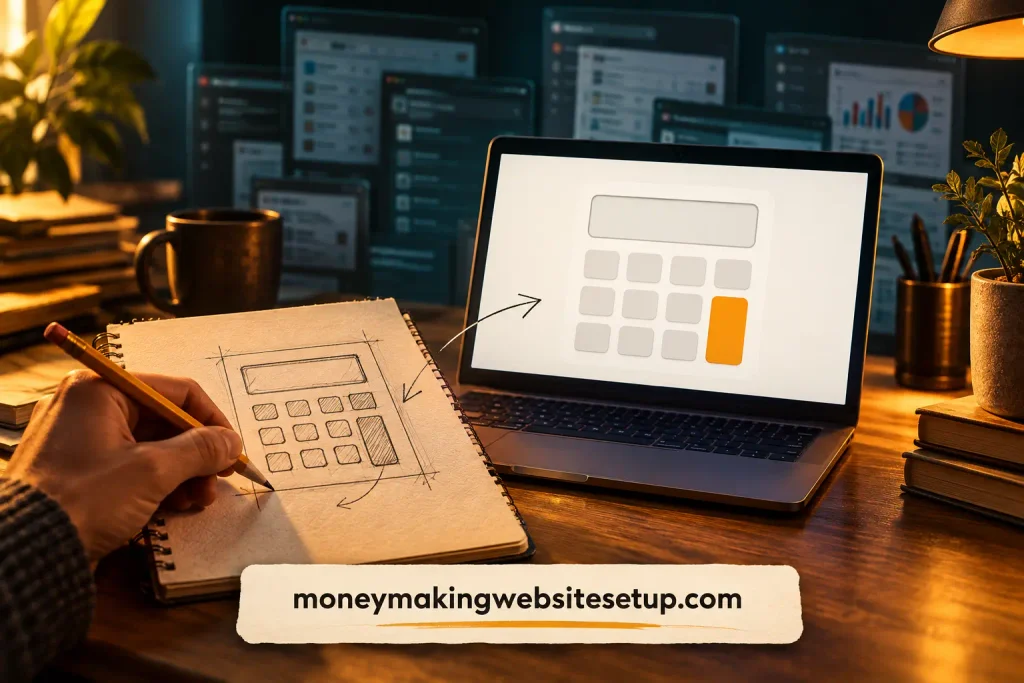
Someone planning their first website can spend an evening opening pricing pages, scribbling figures into a notebook, and still wonder what the project will actually cost. A simple calculator could spare them that guessing. That small moment of relief is where a useful tools website begins.
A tools website can earn money by helping people complete a specific task, attracting visitors who need that help, and offering a revenue option that fits what they came to do. Your first 30 days are for choosing one problem, testing the idea, building a simple tool, publishing a helpful page, and learning from the first users. There’s no guaranteed income; the first milestone is finding out whether people find the tool useful.
You don’t need to begin with a sprawling software platform. A focused calculator, checker, or planner can be enough to test whether an idea has promise. The trick is to start with the person and their problem, not with a long list of features.
A tools website can start with one small job
A tools website gives visitors an online utility to help them do something: calculate, compare, generate, convert, check, or plan. It might be a website startup cost calculator, an affiliate commission estimator, a project budget planner, or a checklist generator.
Some tools websites are full software products. Others pair one useful tool with clear instructions and related articles.
That second kind can be a more manageable starting point for a beginner. You can focus on one task, see where people get stuck, and improve the experience before investing in a larger build.
Think about the website startup cost calculator again. A visitor enters estimates for a domain, hosting, software, and other expenses.
The tool separates one-time and recurring costs, then shows a result the visitor can use to plan. A page explaining the assumptions behind that result can make the tool more useful—and help it stand on its own as a resource.
Choose a problem before you choose a tool
A list of tool ideas can be exciting. It can also send you straight into building something nobody asked for. Start by asking who needs help and what they are trying to finish.
A few questions can bring the idea into focus:
- Who would use this tool?
- What task are they trying to complete?
- How do they handle it now?
- What would make the answer easier to get or understand?
- Is there a sensible way for the site to earn while helping them?
“A tool for website owners” is too broad to guide much. “A calculator that helps a first-time website owner estimate initial and recurring costs” gives you a clearer audience and a specific job to solve.
Before you build, look at how people search for that task and what existing tools offer. Try a few of those tools yourself. Maybe the inputs are confusing. Maybe the result appears without an explanation. Maybe recurring expenses are easy to miss. An opportunity might lie in making a familiar task clearer, faster, or more trustworthy.
You can test the idea without hiring a developer. Put together a mockup or spreadsheet, or work through the task manually with a few people who fit your audience. Notice their questions. Where do they pause? What result do they actually need? Those small observations can save you from building the wrong features.
Pick a format you can build and maintain
The best first tool isn’t necessarily the most impressive one. It’s one you can finish, test, and keep accurate.
Common formats include:
- Calculator: takes inputs and returns an estimate or result.
- Comparison tool: helps visitors assess options against a set of criteria.
- Generator: creates a draft, checklist, or plan from user inputs.
- Checker: identifies missing steps or potential problems.
- Planner: helps someone organize a budget, schedule, or project.
- Converter: changes data or content from one format to another.
A first version of a website startup cost calculator could ask for estimated expenses such as a domain, hosting, theme, and software. It could show one-time and recurring costs separately. The result should also explain that it depends on the visitor’s inputs and that actual prices may change.
You might build a simple tool with no-code software, a WordPress plugin, or custom development. Choose the route you can test and maintain. A complicated build doesn’t prove that people need the tool; a clear first version can help you find out.
Before launch, try it on a mobile phone and a computer. Make sure the instructions make sense, the result is easy to see, and people can understand how it was calculated. If the tool collects personal information, ask only for what you need and explain what you’ll do with it.
How to make money with a tools website
A tools website can earn through advertising, referrals, leads, paid features, or products connected to the visitor’s task. One option may fit the audience better than the others. You don’t need to launch with all of them.
Display advertising
Ads may suit a tool that attracts a steady flow of visitors. They’re straightforward to understand, but the income depends on traffic, audience, placement, and advertiser demand. If ads crowd the tool or interrupt its use—especially on mobile—they may cost more in trust than they add in revenue.
Affiliate referrals
A tool might help visitors compare products or services and point them toward an option that fits their needs. A website planning tool, for example, could help someone decide what features to look for in a platform. Disclose paid relationships and keep recommendations useful and honest.
Recommended reading: Display Ads vs Affiliate Marketing Earnings: The Revenue Blueprint That Helps You Choose the Most Profitable Strategy
Lead generation
Some tools help people decide whether they need a service. A planning or estimate tool could connect visitors who want extra help with a relevant provider. The match needs to make sense for the visitor; a lead form added just to collect email addresses may weaken trust.
Paid upgrades or subscriptions
A basic tool might be free while optional features cost money. These could include saved projects, downloadable reports, more detailed results, or features people use repeatedly. This approach is more promising when visitors have a reason to return or need more than a one-time answer.
Paid downloads, API access, or licensing
A tool might produce a report or template someone can buy, offer data through an API, or license its functionality to another business. These models can take more setup and support than a simple free tool, so they may make more sense after you understand what users need.
Whichever option you test, keep the visitor’s task in view. A revenue feature should support the tool’s purpose, not make a simple job harder.
Your first 30 days: from idea to useful first version
Days 1–3: Name the audience and the task
Write down who the tool is for, what they need to do, and what result would help. Keep the first version focused on one job. For example: “This calculator helps a beginner estimate first-year website costs using their own assumptions.”
Decide what the tool will—and won’t—tell the user. A calculator that gives an estimate should say so. Defining those limits early makes it easier to build something useful and trustworthy.
Days 4–7: Find out whether the idea holds up
Search for the task using the words a potential visitor might use. Look at competing tools and the questions people ask about the topic. Note what they already handle well and where a clearer explanation or a more focused result might help.
Try a basic version with a few likely users. Ask what they expected, what confused them, and whether the result helped them decide what to do next. You’re looking for useful feedback, not compliments.
Days 8–14: Build the essential features
Create only the inputs, calculations, and outputs needed to provide a useful result. Label the inputs clearly. Work through sample values yourself to check that the calculations behave as expected.
Think about maintenance, too. If your tool uses prices, rates, or other information that can change, decide how you’ll review it. Tell visitors which values they should verify for themselves.
Days 15–21: Give the tool a helpful home
The page around the tool should explain what it does, who it’s for, and how to use it. Add a worked example. Explain any important assumptions and limitations.
Then answer the questions that naturally follow. Someone using a cost calculator may need to know which expenses are recurring or which ones are optional.
Recommended guide: How to Create a Website That Makes Money: Choose the Right Model Before You Build
Days 22–30: Launch, watch, and improve
Check that the tool works on common screen sizes, then make it available. If you use Google Search Console, you can review whether the page is appearing in search and which queries bring visitors to it. Search visibility takes time and isn’t guaranteed.
Watch what people do. Do they start and finish the tool? Which input causes them to stop? Do they read the explanation or move to a related guide? Use those observations to make the next improvement. A useful adjustment is more valuable than adding features simply to make the project look bigger.
Make the page easy to find and understand
A useful tool page can serve people at several stages: someone learning about a problem, someone comparing options, and someone ready to take action. Start with a plain explanation of what the tool does. Then show the inputs, the result, an example, and what a visitor might do next.
Headings can make those answers easier to find:
- What does this calculator estimate?
- How do I use the tool?
- Which costs should I include?
- What assumptions affect the result?
- What should I do after I get an estimate?
Related articles should answer different follow-up questions rather than repeat the same advice with slightly different wording. A tool page might link to distinct guides about choosing a website model, planning startup costs, and attracting visitors.
Google’s guidance says its AI search features build on existing SEO foundations and emphasizes useful, distinctive content. It also says there’s no special markup or required “chunking” for AI features. Make the page easy for people to understand, and ensure its important content is available to search engines. developers.google.com
A clear answer near the top and useful headings can make a page easier to scan. They don’t guarantee a featured snippet or inclusion in an AI-generated result; Google’s systems select featured snippets automatically. developers.google.com
Look beyond the traffic numbers
Traffic can tell you whether people are finding the page. On its own, it can’t tell you whether the tool helps them or whether the business makes sense. Keep an eye on a few measures that fit your goal:
- How many visitors start and finish the tool
- Which search queries bring people to the page
- Whether visitors return or explore a related guide
- Whether they use a relevant offer or paid feature
- What it costs to host, maintain, and update the tool
A simple way to think about the business is:
Revenue from ads, referrals, leads, or paid features − operating and maintenance costs = net income
The result depends on your audience, tool, revenue model, costs, and user behavior. Treat early numbers as clues about what to test, not as a promise about what the site will eventually earn.
A few traps that can waste your first month
Building too much before testing the idea
A long feature list can absorb your time without proving anyone needs the tool. Start with the smallest version that produces a useful result. Add to it when feedback gives you a reason.
Choosing an idea because it sounds profitable
A promising idea still needs an audience, a real problem, and a way to reach the people who have it. Check the need before you commit to the build.
Hiding the assumptions behind a result
If your tool estimates costs or outcomes, explain what goes into the calculation. A clear estimate is more helpful than a precise-looking number with no context.
Adding monetization before the tool works
Ads, offers, and signup requests can distract from the task. First make sure visitors can use the tool. Then test a revenue option that fits what they came to do.
Questions beginners often ask
“Can a tools website actually make money?”
Yes, it can earn through advertising, referrals, leads, paid features, downloads, or licensing. Whether it earns—and how much—depends on the tool, its audience, traffic, costs, and revenue model. There’s no guaranteed outcome.
“Do I need to know how to code?”
Not necessarily. You can build some simple calculators, forms, and planners with no-code software or WordPress plugins. More complex tools may need custom development. Start with a format you can test and maintain.
“How much should I set aside to start?”
Costs vary with your domain, hosting, software, design, and development choices. A basic site may need fewer paid tools than a custom application, but you’ll still spend time building and maintaining it. List one-time and recurring costs before you choose your approach.
Recommended guide: How Much Does It Cost to Start a Website That Makes Money? Free Calculator for Lean, Realistic, and Growth Budgets
“What’s a good first tool idea?”
Look for one clear task that a specific audience needs help with and that you can test on a small scale. A website cost estimator, commission calculator, or focused project planner could be a starting point. Validate the need before building.
“When will it start earning?”
There’s no dependable timetable. You need a useful tool, the right audience, and a suitable revenue model—and it may take time to find all three. Search visibility and income are both uncertain.
Recommended guide: How Long Does It Take to Make Money From a Website? The Fastest Realistic Path to Your First $100
Products / Tools / Resources
You can get started without a long list of software. Pick a few resources that help you answer the questions in your plan:
- A spreadsheet to list your idea’s inputs, assumptions, recurring costs, and test results.
- A mockup or no-code builder to test the workflow before investing in a full build.
- WordPress and a suitable tool plugin if you want to publish the utility as part of a content site.
- Google Search Console to review search visibility and the queries bringing people to the page.
- Related guides: How to create a website that makes money. It helps you take the next step.
- The free 24-Hour Money-Making Website Blueprint for a broader checklist as you plan your site.