
There is a particular kind of frustration that comes with trying to make money from home.
You search for ideas. You find twenty.
You watch videos, compare business models, bookmark opportunities, sign up for platforms, read success stories, and tell yourself that this time you have finally found something worth pursuing.
Then the excitement wears off.
A few weeks later, you are searching again.
The problem is not always a lack of effort. Often, it is that nothing permanent is being built.
That is where a website changes the equation.
A simple money-making website gives you somewhere to put your work so that today’s effort can still exist tomorrow. Instead of constantly hunting for the next side hustle, you begin building an online property that can attract visitors, answer questions, collect subscribers, recommend useful solutions, and potentially produce work-from-home income over time.
The basic idea is surprisingly uncomplicated.
A money-making website is a website built around a specific audience, useful content, and one or more monetization methods such as affiliate marketing, digital products, services, email marketing, subscriptions, sponsorships, or advertising.
You do not need to know how to code.
You do not need thousands of followers.
You do not need to be famous, charismatic, or particularly good at social media.
You need something useful to say, people who are already looking for that information, and a website that gives those people a place to find you.
From there, the pieces can be built one at a time.
What Is a Simple Money-Making Website, Really?
Forget the glossy screenshots for a moment.
Forget income dashboards, complicated funnels, and stories about people who supposedly built six-figure businesses over a long weekend.
At its core, a money-making website has four jobs.
It attracts the right people.
It helps them.
It gives some of them a reason to come back.
And, eventually, it connects those people with products, services, or offers that make sense for them.
Imagine someone sitting at the kitchen table after work.
They have a problem.
Maybe they want to build a bookshelf but do not know which wood to buy. Maybe they want to start affiliate marketing but have no idea where to begin. Maybe they need help choosing software, fixing a leaking tap, growing tomatoes, training a puppy, or setting up a home office.
They open Google.
They type a question.
One of your guides appears.
They click.
That moment is the beginning of the entire business model.
Perhaps they read the article and leave.
Perhaps they click into another guide.
Perhaps they see a useful free resource and join your email list.
Weeks later, they might buy a product you recommend, purchase one of your own products, hire you, subscribe to a service, or click an advertisement.
Most visitors will not become customers.
That is normal.
The beauty of a content website is that you are not building it around one visitor.
You are building a library that can be found again and again.
One useful article gives you one doorway into the site.
Fifty useful articles give you fifty.
Two hundred and fifty well-connected guides create something very different from a typical blog.
They create an information asset.
How Does a Website Generate Work-From-Home Income?
The whole process can be reduced to one simple chain:
Search demand → useful content → website traffic → audience relationship → monetization
That may sound almost too simple, but those five stages explain most content-driven websites.
Someone Goes Looking for an Answer
People rarely search the web using only broad topics.
They search because something is bothering them.
A woodworker does not always type “woodworking.”
They might search:
- how to build a workbench for a small garage
- best hardwood for cutting boards
- why does my table saw leave burn marks
- beginner woodworking tools under $500
- how to finish an outdoor cedar bench
A person interested in working from home may search:
- how to make passive income with a website
- easiest website business for beginners
- how to start affiliate marketing from home
- how to build a website without coding
- how many blog posts do I need before getting traffic
Each search contains intent.
The person wants to know something, fix something, compare something, buy something, or move forward.
Your website meets them at that moment.
Your Content Does the Heavy Lifting
This is where many website owners make things unnecessarily complicated.
They think SEO means forcing keywords into paragraphs.
It doesn’t.
Strong SEO begins with understanding why the person searched in the first place.
If someone wants to know how to build a small-garage woodworking shop, a useful guide should naturally discuss space planning, ventilation, dust collection, storage, tool selection, lighting, noise, safety, and workflow.
Those related concepts are not there because an SEO tool told you to add them.
They belong there because a real person needs them.
That is also why semantically rich content tends to make sense to modern search systems. Closely related entities, questions, subtopics, and concepts appear naturally when a subject is covered properly.
Good SEO and good writing eventually meet in the same place:
answer the question completely.
Search Brings the Right Visitor to You
This is one of the most attractive parts of organic search.
You are not interrupting someone.
You are not putting an advertisement in front of a person who was trying to do something else.
The visitor is already searching.
They already care.
If your page earns visibility in search results and the person clicks it, you have attracted someone with existing intent.
That is a much better starting point than random traffic.
Email Gives the Relationship Somewhere to Go
Website traffic can be fleeting.
Someone finds your guide, reads it, closes the browser tab, and may never remember your domain again.
That does not make the visit worthless.
But it does mean the relationship ended quickly.
Email changes that.
If you offer the reader something genuinely useful—a checklist, free guide, template, resource pack, mini-course, or blueprint—they may choose to stay connected.
Now you have permission to speak with them again.
That is enormously different from simply counting pageviews.
Monetization Comes After Relevance
Once you understand what your audience wants, the possible revenue models become clearer.
You might use:
- affiliate marketing
- digital products
- online courses
- consulting
- freelancing
- memberships
- sponsorships
- subscriptions
- display advertising
- email promotions
- physical products
None of these models works because a website exists.
They work when the offer fits the audience.
That distinction is everything.
The Simplest Money-Making Website Setup for Beginners
A beginner’s website does not need a sophisticated technology stack.
You can build the foundation with surprisingly little.
At a practical level, you need:
- A niche
- A domain name
- Web hosting
- A website platform such as WordPress
- A clean, responsive design
- Essential trust and legal pages
- Helpful content
- An email capture system
- A monetization strategy
- Analytics and search-performance tracking
What you do not need is equally important.
You do not need an expensive logo.
You do not need custom software.
You do not need fifteen premium plugins.
You do not need to spend a month choosing fonts.
You certainly do not need a giant audience before publishing your first article.
At the beginning, complexity is usually a distraction disguised as professionalism.
Simple is enough.
Step 1: Choose a Work-From-Home Website Niche With Room to Grow
The first serious decision is not what your website will look like.
It is who the website is for.
A niche is simply the market or subject area around which your content is built.
That could be:
- woodworking
- gardening
- home improvement
- photography
- pets
- personal finance
- online business
- fitness
- cooking
- crafts
- software
- travel
- education
But choosing a niche is not really about choosing a word.
It is about choosing a landscape of problems.
Woodworking alone contains thousands.
How do I cut a straight line?
Which saw should I buy?
What wood works outdoors?
How do I sharpen a chisel?
Why did my finish turn cloudy?
What projects can I build as a beginner?
That is what you are looking for: a subject with enough depth that people will continue asking questions long after you publish your first guide.
Learn more: High-Traffic, Low-Competition Website Ideas: 87 Untapped Niches You Can Still Rank for Before Everyone Else
Start With Problems, Not Profit Claims
A niche becomes interesting when people repeatedly need help.
Ask yourself:
What frustrates beginners?
What do people compare before buying?
What mistakes keep happening?
What tools or services are commonly needed?
What questions appear after the first problem has been solved?
That last question can open an entire content strategy.
A person who learns how to choose a table saw may next need help with blades, safety, dust collection, jigs, maintenance, and projects.
One question creates six more.
That is how a topic cluster grows.
Evergreen Demand Gives Your Work a Longer Life
Some content has a short shelf life.
Other content keeps answering the same problem year after year.
A guide about a fleeting social-media trend may explode briefly and disappear.
A guide about how to sharpen a woodworking chisel addresses a problem that has existed for generations.
Evergreen content is not automatically easier to rank.
It is simply more durable.
For a website designed to become a long-term work-from-home income asset, durability matters.
Recommended reading: How to Build a Profitable Website for Free: From Zero Visitors to Passive Income With Evergreen Content
Use the Demand + Problems + Solutions Test
A useful niche often contains three things.
Demand: People care enough to search.
Problems: They repeatedly need answers.
Solutions: Products, services, information, or resources exist that can help.
Where those three overlap, you have the beginnings of a viable website concept..
Step 2: Pick a Domain Name You Will Not Regret Later
Domain names feel enormously important before a website exists.
Later, content usually matters far more.
Still, a good domain makes life easier.
Aim for something that is:
- reasonably short
- easy to spell
- easy to remember
- relevant to the subject
- broad enough for future growth
- free from unnecessary numbers or punctuation
You do not need to squeeze your entire target keyword into it.
A domain is a brand and address, not an SEO paragraph.
Clear Beats Clever More Often Than You Think
Imagine telling someone the domain over the phone.
Would they understand it?
Could they type it without asking you to spell it three times?
Would they have a reasonable chance of remembering it tomorrow?
Those are good signs.
You are building a place people may return to.
Make the address easy to find.
Step 3: Build the Website Without Turning Yourself Into a Programmer
This is the point where many beginners tense up.
Hosting.
DNS.
SSL.
Databases.
Themes.
Plugins.
It sounds technical because some of the words are technical.
But building a basic content website no longer requires you to understand every layer underneath it.
Most of the work can be handled through straightforward dashboards.
What Hosting Actually Does
Think of your domain as the address.
Hosting is the property behind it.
Your host stores the website’s files and database and delivers them when someone visits.
For a beginner site, look for the fundamentals:
- solid uptime
- acceptable speed
- SSL support
- backups
- security features
- responsive customer support
- easy WordPress installation
Do not pay enterprise prices to solve enterprise problems when your site has twelve visitors.
Start with what you need.
Upgrade when reality demands it.
Why WordPress Works Well for Content Sites
WordPress is a content management system, which is a long way of saying it lets you create and manage your website without hand-coding every page.
You can publish:
- articles
- pages
- categories
- navigation menus
- images
- internal links
- forms
- landing pages
through a visual interface.
There are other platforms, and some are excellent.
WordPress remains particularly attractive for content-heavy websites because it is flexible, widely supported, and designed around publishing.
Recommended reading: The WordPress Affiliate Website Launch System (30-Day Action Plan)
A Good Website Design Should Almost Disappear
This sounds counterintuitive.
People often assume a successful website needs to look impressive.
What it really needs to do is stay out of the reader’s way.
Large readable text.
Comfortable spacing.
Fast loading.
Mobile-friendly pages.
Clear headings.
Simple navigation.
Obvious links.
Very little clutter.
If someone finishes your article thinking about how beautiful your dropdown menu was, something may have gone wrong.
The better reaction is:
“That answered exactly what I needed.”
Build the Essential Pages
Most serious websites need a handful of supporting pages.
Depending on your location, business model, and legal requirements, these may include:
- About
- Contact
- Privacy Policy
- Terms
- Affiliate Disclosure
- Income Disclaimer
- Sitemap or content index
These pages are not glamorous.
They help establish clarity, transparency, and trust.
Step 4: Stop Thinking Like a Blogger and Start Building a Content Library
This is where the website begins to matter.
A domain is not an asset simply because you registered it.
WordPress is not an asset because you installed it.
The content is what gives the site a reason to be discovered.
One exceptional guide can attract visitors.
Fifty interconnected guides can begin building topical depth.
One hundred can cover an extraordinary range of long-tail questions.
Two hundred and fifty useful guides can create an entire body of information.
The shift is subtle at first.
Then it becomes enormous.
Begin With the Searcher’s Problem
Before writing, ask one question:
What is this person really trying to accomplish?
Suppose they search:
“how to start woodworking in an apartment”
They are probably worried about more than woodworking.
Noise matters.
Dust matters.
Neighbors matter.
Storage matters.
Space matters.
Tool size matters.
Safety matters.
A strong guide anticipates all of that.
This is how semantic SEO should feel.
Not like adding related keywords.
Like understanding the problem deeply enough that the related concepts naturally appear.
Let Each Guide Own One Primary Intent
A common mistake is trying to make one article rank for everything.
The result is usually a page that does nothing particularly well.
Instead, give each guide one clear mission.
Then let related questions become their own articles.
Suppose your central topic is beginner woodworking.
You might create supporting guides around:
- beginner tools
- workshop setup
- woodworking safety
- choosing lumber
- sanding
- joinery
- wood finishing
- beginner projects
- mistakes to avoid
Now the site begins forming a topic cluster.
Each guide handles a specific problem.
Internal links tie the knowledge together.
The structure makes sense to readers because it mirrors how people actually learn.
Internal Links Should Feel Like the Next Thought
The best internal link does not interrupt the reader.
It appears exactly where a question naturally arises.
If you are explaining table saw safety and mention kickback, a link to a detailed guide on preventing table saw kickback makes sense.
The reader may want it.
Search engines can also discover and understand the relationship between those pages.
That makes internal linking useful for both navigation and site structure.
A simple rule works remarkably well:
When you mention a topic you have explained better somewhere else, link to it.
Step 5: Do Not Let Every Visitor Disappear Forever
A website can accumulate traffic while building almost no audience.
It happens all the time.
People arrive.
They read.
They leave.
The pageview counter goes up, but the relationship ends.
An email list gives that relationship another chapter.
Give People Something Worth Exchanging an Email Address For
People are already overwhelmed by email.
“Join my newsletter” is rarely irresistible.
A specific useful resource can be.
Examples include:
- 50 Free Woodworking Plans
- The Beginner’s Website Setup Checklist
- 30-Day Vegetable Garden Planner
- Home Workout Starter Plan
- Freelance Pricing Calculator
- Affiliate Marketing Quick-Start Blueprint
The best lead magnet usually solves the next problem the visitor is likely to have.
That is why relevance matters so much.
Someone reading about woodworking plans is more likely to want free woodworking plans than a generic newsletter.
Put the Invitation Where It Feels Natural
An opt-in can appear:
- inside the article
- after an important section
- near the end
- on the homepage
- on a dedicated landing page
The placement matters less than the experience.
The reader should not feel ambushed.
They should feel as though you are saying:
“If this helped, here is something else you may find useful.”
The Email Sequence Takes Over From There
Once someone subscribes, you no longer have to squeeze every part of the relationship into one article.
A simple sequence can:
- Deliver what you promised.
- Welcome the subscriber.
- Help with another problem.
- Point them toward useful content.
- Explain mistakes or misconceptions.
- Introduce relevant products or services.
- Continue the relationship.
The website finds people.
The email list remembers them.
That is a powerful combination.
Step 6: Decide How the Website Will Actually Make Money
A website can receive traffic for years and still produce very little income if there is no sensible monetization path.
Traffic and revenue are related.
They are not the same thing.
A visitor has to encounter something commercially relevant somewhere in the system.
That could happen on the website itself or later through email.
Affiliate Marketing
Affiliate marketing is one of the simplest models to understand.
You recommend another company’s product or service.
If someone buys or completes a qualifying action through your affiliate link, you may earn a commission.
It works especially naturally with content such as:
- product comparisons
- software reviews
- tool recommendations
- tutorials
- buying guides
- resource pages
The recommendation still needs to deserve the reader’s trust.
If you would not recommend something without the commission, think carefully before recommending it with one.
Clear affiliate disclosure is essential.
Digital Products
Digital products can include:
- ebooks
- templates
- plans
- worksheets
- online courses
- spreadsheets
- printable resources
- premium guides
- software
There is no physical inventory to store, which makes digital products attractive for many home-based businesses.
The harder part is creating something people genuinely value.
Services
Sometimes the fastest route to monetization is not a product at all.
It is expertise.
A content website can attract leads for:
- consulting
- coaching
- design
- marketing
- writing
- bookkeeping
- development
- local services
- freelancing
The article proves you understand the problem.
The service solves it personally.
Display Advertising
Advertising turns pageviews into revenue by placing ads around the content.
The economics vary dramatically.
Traffic volume matters.
So does niche, visitor location, seasonality, advertiser demand, and the ad network being used.
For some sites, advertising becomes a meaningful income stream.
For others, it remains secondary.
Email-Based Monetization
This model is particularly interesting because it allows the website to remain heavily focused on useful content.
The site attracts the reader.
The opt-in starts the relationship.
The email sequence handles much of the commercial follow-up.
This can reduce the need to plaster every guide with affiliate offers.
Step 7: Build a Publishing Routine That Survives Ordinary Days
Beginning is exciting.
Continuing is less glamorous.
That is where most of the advantage is created.
Anyone can feel motivated for a week.
The real test comes several months later when publishing another guide feels completely normal.
That is not failure.
It is the moment the project becomes a routine.
Quality vs. Quantity Is Usually the Wrong Question
Should you publish more?
Or should you publish better?
The answer is neither in isolation.
You should publish as much genuinely useful content as you can sustain without lowering the standard.
One perfect article every six months may make it difficult to build substantial topical coverage.
Twenty thin articles per day may create an enormous library nobody needs.
Find the pace at which you can still care about every page.
That is your pace.
Map the First 30 Guides Before You Need Them
Writer’s block is much less frightening when the topics already exist.
Start with your core niche.
Divide it into five important subtopics.
Find six meaningful questions within each one.
Now you have thirty guides.
For example:
5 topic clusters × 6 guides = 30 articles
You can expand from there.
By the time those articles are published, you will know far more about your audience, your niche, and the queries people use to discover the site.
Then the data begins helping you decide what comes next.
How Much Does a Simple Money-Making Website Cost?
The cost can vary dramatically depending on how much you choose to buy.
A basic content site can often be started with relatively modest expenses.
| Website Component | Usually Required? | What It Does |
|---|---|---|
| Domain name | Yes | Gives the website its address |
| Web hosting | Usually | Stores and serves the website |
| WordPress | Often free | Manages the content |
| Website theme | Free options available | Controls design and layout |
| Email marketing platform | Free or paid | Manages subscribers and email sequences |
| SEO tools | Optional | Helps with research and analysis |
| Premium plugins | Optional | Adds extra functionality |
| Professional logo | Optional | Supports branding |
| Custom development | Usually unnecessary initially | Adds specialized functionality |
The temptation is to buy everything before launching.
Resist it.
A new website does not need to solve problems it does not have yet.
Spend when the need becomes clear.
How Long Does It Take for a New Website to Make Money?
This is the question hanging over almost every beginner.
And there is no honest universal answer.
One website may earn something quickly.
Another may take many months.
Another may never become profitable.
The outcome depends on a long list of variables:
- niche competition
- search demand
- content quality
- indexing
- rankings
- backlinks and mentions
- topical authority
- user experience
- conversion rates
- monetization method
- traffic quality
- publishing consistency
- market conditions
That uncertainty can feel uncomfortable.
But pretending certainty exists would be worse.
Revenue Is Often the Last Thing to Move
Beginners naturally watch the money.
The number sits at zero.
Nothing seems to be happening.
Yet organic growth tends to have several stages.
A page is published.
It is discovered.
It may be crawled.
It may be indexed.
It begins receiving impressions.
Perhaps it climbs.
Perhaps it attracts clicks.
Some visitors subscribe.
A smaller number convert.
Then revenue appears.
A simplified version looks like this:
Published pages → crawling → indexing → impressions → rankings → clicks → subscribers → conversions → revenue
Not every page follows that sequence.
Some skip stages.
Some stall.
Some never go anywhere.
But it illustrates something important:
income is a lagging indicator.
Before obsessing over revenue, watch what is happening underneath it.
Useful metrics include:
- indexed pages
- search impressions
- search queries
- average positions
- organic clicks
- engaged visitors
- email subscribers
- opt-in conversion rate
- sales conversion rate
Zero income does not automatically mean the website is working.
It also does not automatically mean it is failing.
You need context.
What Changes When You Have 30, 100, or 250 Articles?
There is nothing magical about these numbers.
Google does not flip a switch because you published article number 100.
But scale changes what a website is capable of covering.
At 30 High-Quality Guides
You have the beginnings of a real resource.
There is enough content for meaningful internal linking.
You can begin building recognizable topic clusters.
Search engines have more context about what the site covers.
You also have something especially valuable:
real data.
At 100 High-Quality Guides
The library begins to feel substantial.
More long-tail searches can lead into the site.
Supporting pages strengthen broader topics.
Older content can be updated based on what you learned while publishing newer content.
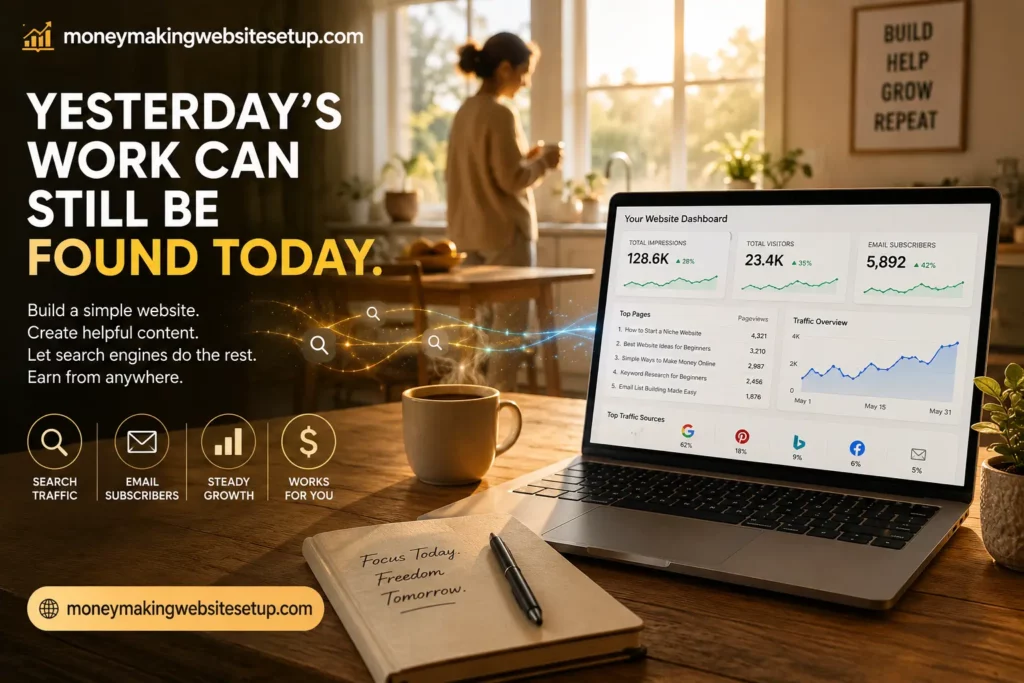
Internal linking becomes richer.
The website is no longer an experiment containing a few posts.
It is becoming a publication.
At 250 High-Quality Guides
Now the scale becomes difficult to dismiss.
Two hundred and fifty genuinely useful pages represent hundreds of primary topics and potentially thousands of related search queries.
Not every article will perform.
Some may disappoint you.
A few may surprise you.
Some can sit quietly for months and later begin attracting traffic.
Others may never rank well at all.
That is normal.
The advantage of building a large content library is not that every article wins.
It is that the entire website no longer depends on one article winning.
The Mistakes That Make Good Websites Stall
There are countless SEO mistakes.
The most damaging ones are often surprisingly human.
Choosing a Niche Because Someone Said It Pays Well
High commissions do not rescue a niche you cannot write useful content about.
A niche needs more than monetary potential.
It needs enough problems, demand, depth, and personal sustainability for you to keep building.
Publishing Whatever Comes to Mind
Random content creates random structure.
One day you write about hosting.
The next day you write about Instagram.
Then cryptocurrency.
Then gardening.
Search engines are not the only ones who become confused.
Readers do too.
Build clusters.
Stay close to the problems your audience actually has.
Redesigning Instead of Publishing
There is a dangerous kind of procrastination that looks like work.
Changing button colors.
Trying seven themes.
Adjusting margins.
Moving menus.
Redesigning the homepage for the ninth time.
Once the website is readable, fast, trustworthy, functional, and mobile-friendly, another genuinely useful guide will often matter more than another afternoon spent adjusting pixels.
Expecting Publishing and Ranking to Happen Together
You click Publish.
The article goes live immediately.
Search performance may not.
Those are two different timelines.
The gap between them can be psychologically difficult because you have already done the work but cannot yet see the result.
That is part of building with organic search.
Turning Every Paragraph Into a Sales Pitch
Readers feel it.
They came for an answer.
Give them one.
There is nothing wrong with monetization. A business needs revenue.
But useful content should still be useful even when nobody buys.
Assuming More Automatically Means Better
Five hundred articles are not impressive if nobody needs them.
Volume multiplies whatever quality already exists.
If you publish useful content, scale can expand its reach.
If you publish weak content, scale simply gives you more weak content.
Before publishing, ask:
Why does this page deserve to exist?
That question is worth keeping.
Your First 30 Days: A Practical Work-From-Home Website Plan
You do not need to build the finished business in thirty days.
You need to make it real.
Week 1: Build the Foundation
Choose the niche.
Register the domain.
Set up hosting.
Install WordPress or your chosen platform.
Create navigation.
Add essential pages.
Connect analytics and search-performance tools.
Keep moving.
A simple website that exists is more useful than a perfect website living inside your head.
Week 2: Build One Strong Topic Cluster
Choose one central problem.
List five to ten closely related questions.
Write the main foundational guide.
Begin publishing supporting articles around it.
Connect those articles with internal links.
Now the website has structure.
Week 3: Give Visitors a Reason to Stay
Create a lead magnet.
Set up the opt-in.
Build the landing page if you need one.
Write the welcome email.
Add the offer naturally to relevant guides.
Subscribe yourself.
Test every link.
Make sure the experience actually works.
Week 4: Keep Publishing and Start Watching the Signals
Expand the cluster.
Improve internal links.
Make sure your sitemap is available to search engines where appropriate.
Watch Search Console or equivalent search-performance data.
Look for indexing problems.
Then continue publishing.
Something important has changed.
A month ago you may have been asking:
“How can I make money from home?”
Now you own a website with a defined audience, useful content, an email system, and a monetization path.
That is a very different starting point.
The Strange Quiet Period After You Start
A young website can feel unnervingly silent.
You publish.
Nothing.
Another guide goes live.
Nothing.
You check traffic.
Three visitors.
One of them might have been you.
This is where the emotional side of building a content business becomes very real.
The website exists, but it has not yet gathered much momentum.
Your oldest articles are still young.
Search engines are still discovering the library.
The domain may have little authority.
Very few people know you exist.
Yet this period is not necessarily wasted.
Every new guide increases the amount of useful information available on the site.
Every internal link strengthens the structure.
Every indexed page creates another possible search entry point.
Every impression provides another piece of data.
Then, slowly, things can begin happening without fanfare.
Someone finds an article you published two months ago.
Another guide starts receiving impressions for a query you did not deliberately target.
Someone joins the email list while you are asleep.
A page you had almost forgotten begins climbing.
There is no guaranteed breakthrough.
No switch gets flipped.
But this is one of the unusual characteristics of website publishing.
The work does not disappear when the day ends.
An article remains online.
It can still be discovered tomorrow.
And the day after that.
That is why a website is better thought of as leveraged work than effortless passive income.
You still have to work.
But yesterday’s work can remain in the game.
Frequently Asked Questions About Building a Money-Making Website From Home
“But can a complete beginner really make money with a website?”
Yes, it is possible. Websites can generate revenue through affiliate marketing, digital products, advertising, memberships, services, sponsorships, subscriptions, and other models.
What nobody can responsibly promise is that simply creating a website will make money.
You still need relevant traffic, useful content, appropriate offers, and conversions.
“Do I need to know how to code?”
No.
Platforms such as WordPress allow you to create and manage a content website without manually coding every page.
You may occasionally encounter technical tasks, but you do not need to become a developer to operate a straightforward content site.
“Can I really run the whole thing from home?”
Yes.
Research, writing, website management, analytics, email marketing, SEO, customer communication, and many monetization activities can all be handled remotely with a computer and internet connection.
“How many articles do I need before I make money?”
There is no magic number.
A small website can make money.
A large one can fail to.
Article count influences how much search territory you can cover, but revenue ultimately depends on traffic, intent, rankings, audience quality, conversions, and monetization.
Think of content volume as one variable—not the entire equation.
“How long does SEO take?”
There is no universal SEO clock.
Some pages gain visibility quickly.
Others take months.
Highly competitive queries may take considerably longer, particularly for newer websites.
The sensible approach is to measure progress over meaningful periods rather than expecting predictable rankings immediately after publication.
“Do I need social media?”
No.
Social media can help, but it is not compulsory.
Some websites rely primarily on Google and other search engines. Others use Pinterest, YouTube, communities, email, referrals, or paid traffic.
Use the channels that fit your audience and your strengths.
“Do I have to pay for advertising?”
No.
Paid advertising is simply one traffic-acquisition method.
Organic search, referral traffic, email, social platforms, communities, and direct traffic can all bring visitors without paying for each individual click.
“Is affiliate marketing a sensible way to start?”
It can be.
Affiliate marketing removes the need to create the underlying product yourself, which lowers one barrier to entry.
But you still need trust.
You need the right audience.
You need relevant offers.
And you need to disclose affiliate relationships clearly.
“Should I collect email subscribers from the beginning?”
In many niches, that is a sensible strategy.
A search visitor may find one article and never return.
An email subscriber has deliberately given you permission to continue the relationship.
That makes email especially useful for content websites.
“Is blogging still worth starting?”
The word blogging can be misleading.
A modern content website might function as:
- a niche knowledge library
- a lead-generation business
- an affiliate publication
- a digital product platform
- an educational resource
- a service business
- a specialist media property
People still search for answers.
They still compare products.
They still make purchases online.
Useful information still has value.
That is the part that matters.
“Is this passive income?”
Not in the fairy-tale sense of pressing a button and never working again.
Websites need maintenance.
Content needs updating.
Search performance needs monitoring.
Emails need writing.
Offers need testing.
Technical problems occasionally need fixing.
But there is leverage.
A guide you write once can potentially help thousands of people over its lifetime.
That is not passive.
It is something better understood as work that can continue producing value after the original working session is over.
Products / Tools / Resources
You do not need a giant stack of software to build a simple money-making website. In fact, the fewer moving pieces you have at the beginning, the easier it is to focus on what matters: publishing useful content and helping the right people find it.
Here are the main categories worth considering.
Domain Registrar
You will need somewhere to register your domain name.
Look for transparent renewal pricing, straightforward DNS controls, privacy options where available, and a company you are comfortable staying with long term.
There is rarely a good reason to obsess over this decision.
The domain matters more than the registrar.
Reliable Web Hosting
Choose hosting capable of running your website smoothly without forcing you to become a server administrator.
For a new content website, prioritize reliability, backups, security, SSL, reasonable loading speed, and competent support.
Start with the level you actually need.
You can always move or upgrade later.
WordPress
WordPress remains one of the most flexible options for building a content-focused website.
It gives you control over posts, pages, categories, navigation, internal linking, themes, plugins, and future monetization without requiring you to hand-code the site.
Lightweight WordPress Theme
A clean theme is usually better than an elaborate one.
Look for:
- fast loading
- mobile responsiveness
- readable typography
- clean layouts
- simple customization
- compatibility with modern WordPress
The goal is not to win design awards.
The goal is to make the content pleasant to read.
Google Search Console
Search Console becomes increasingly valuable once content is published.
It can help you see:
- which queries trigger impressions
- which pages receive clicks
- average search positions
- indexing information
- crawling issues
- opportunities hidden inside existing content
Over time, this data can influence what you publish next.
Analytics Platform
Analytics helps you understand what happens after someone reaches your website.
Useful questions include:
- Which pages attract visitors?
- How do people enter the site?
- Which guides receive repeat traffic?
- Where do readers leave?
- Which content generates opt-ins or conversions?
You do not need to stare at analytics every day.
You need enough information to make better decisions.
Email Marketing Platform
If email is part of your monetization strategy, choose a platform that can handle:
- signup forms
- subscriber management
- automated sequences
- broadcasts
- unsubscribe management
- basic reporting
Start simple.
An email system with one good welcome sequence is more useful than an expensive marketing suite nobody understands how to use.
Keyword and Topic Research Tools
Paid SEO software can be useful, but it is not mandatory.
Topic ideas can also come from:
- Google autocomplete
- People Also Ask results
- related searches
- Search Console queries
- forums
- customer questions
- competitor topic coverage
- niche communities
- your own understanding of the audience
The tool is not the strategy.
The questions people ask are the strategy.
Writing and Editing Tools
A basic word processor may be enough.
Grammar and readability tools can help catch mistakes, but do not allow software to flatten your writing into lifeless uniformity.
Read important sections aloud.
If they sound unnatural when spoken, they often feel unnatural when read.
Lead-Magnet Creation Tools
A useful lead magnet does not need spectacular design.
PDF creators, document editors, spreadsheet tools, and simple design platforms are usually enough to create:
- checklists
- blueprints
- ebooks
- worksheets
- plans
- templates
- resource lists
Utility matters more than decoration.
Backup and Security Tools
A growing content library becomes increasingly valuable.
Protect it.
Whether backups are handled by your host, a plugin, or an external service, make sure you have a dependable recovery method before you actually need one.
Security should work the same way.
Quietly.
In the background.
Without becoming another project that steals time from publishing.